
Insight into the Google September 2026 Spam Update: What It Means for You
Towards the end of September, on the 24th, Google released the second spam update in…

Google TrendsGoogle Trend tool is a free service from Google that lets you see how popular a particular search term or topic is over time. is a free tool that provides users with insights into what’s trending. As it’s Google, the tool provides this information by analysing its own web searches on the search engine, then using this data to display topics by location. It’s handy, particularly for journalists and digital marketers who want to stay up to date on what’s going on in the world, as they can then react to trending topics with fast content creation. Now, the tool is even more helpful than ever after a brand-new update, with Google Trends 2.0 becoming available to all and completely changing the game. It’s safe to say that the new update is a massive improvement. Learn all about it here!
Before understanding what the new Trending Now tool offers, it helps to look back on the old version. Previously, the tool had a basic list of trending topics. While it showcased trending topics in real-time by country, it wasn’t very sophisticated and didn’t offer much else.
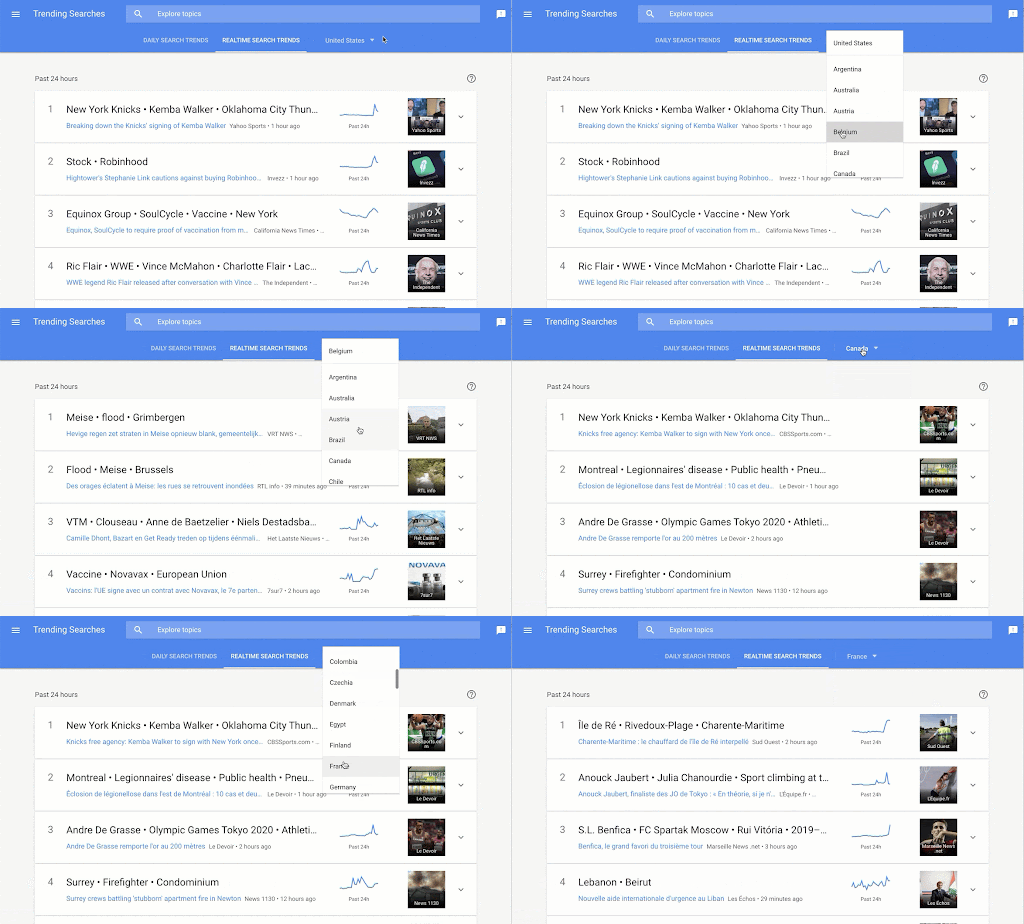
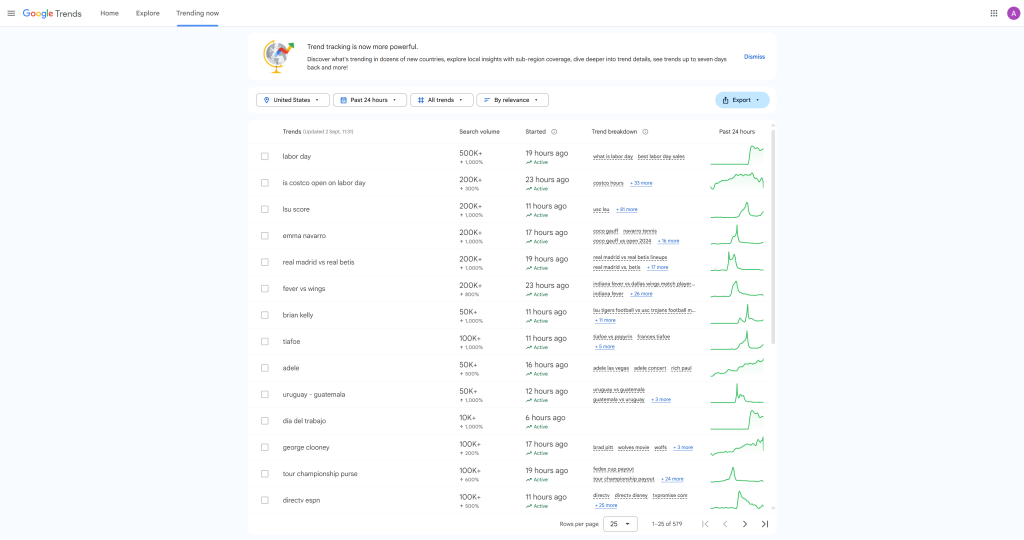
The new update has come with a brand-new interface and is far more powerful – here’s what is included:
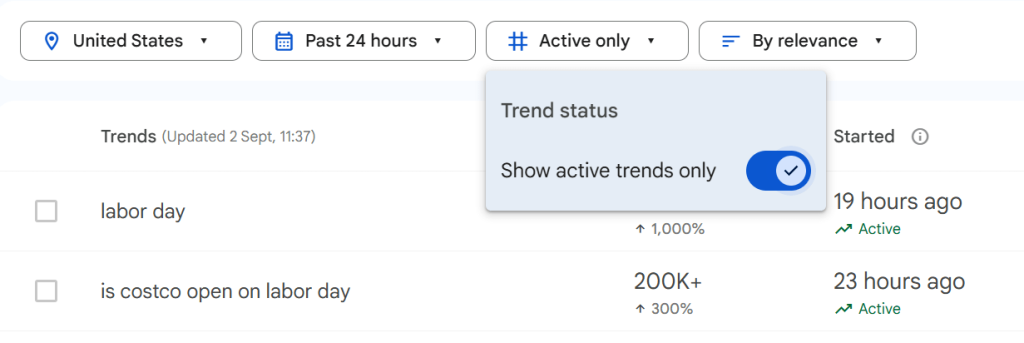
Active Trends: This new feature allows you to view active trends, seeing whether they are still active (thus, relevant) or otherwise.
Showing When Trends Start: To help keep users up to date with the very latest trends, the new interface shows when the trend became active, whether that’s three hours ago, seven hours ago, or twenty-three hours ago.
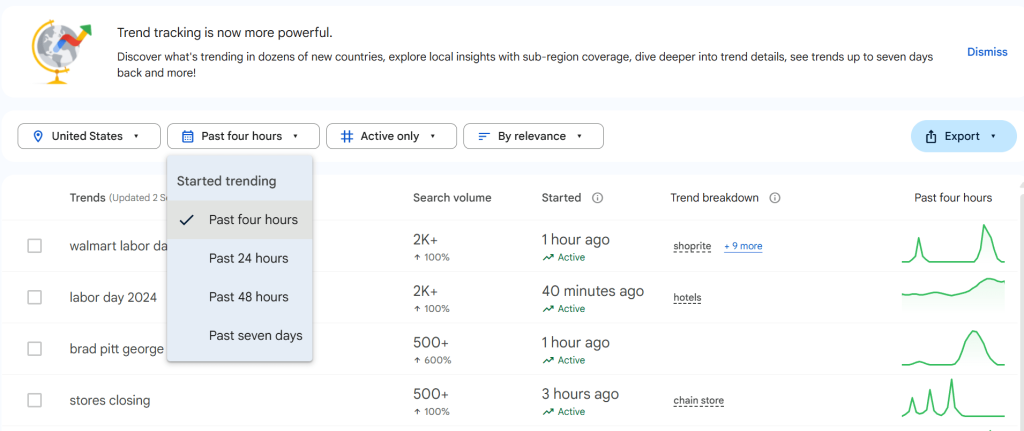
Increased Number of Results: Before, Google Trends only showed ten trending topics – now, you can see up to fifty if you keep scrolling down.

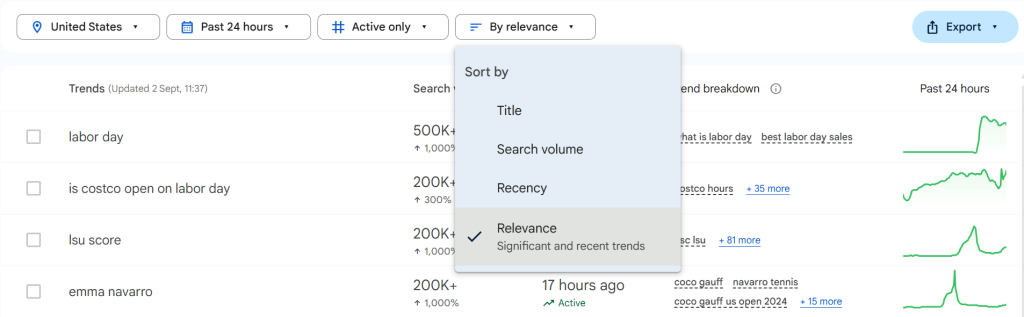
Sort by Relevancy: There are more options you can sort by, including title, search volume, recency, and relevance. These are all very helpful when looking for specific industry trends.
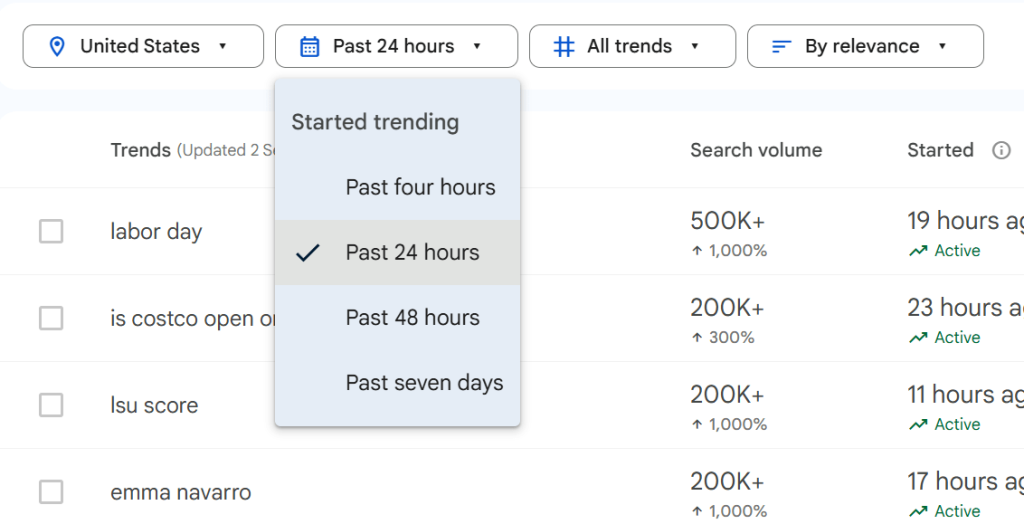
More Control Over Time Range: You can now go back as far as seven days to see what was trending back then.
These are all very useful, proving that Google Trends updates are worth keeping up with. Go here to discover three trending now updates to keep up with the latest trends.
There is no denying the new Google Trends update is a big deal, particularly for content inspiration, SEO planning for building links, and reactive PR. Specifically, Google Trends can now improve your newsjacking strategy, as it places real-time, relevant trends right in front of you. With instant access to this, your brand can use a new trend as content inspiration, and you can create content based on both the trend and your brand. For example, if you are a money-saving expert brand and the rising price of water is trending, you can curate an article based on reducing your water bill. The new Trending Now tool allows you to stay ahead of the game so you can tell trending news stories from your brand’s perspective. This has both brand boosting and SEO benefits.
Of course, it’s also a significant deal for journalists who want to stay ahead of what’s happening worldwide (or more locally). The new Trending Now tool makes media coverage that much simpler, as journalists can keep up with trending topics and use them to stay up to date with news cycles.
Overall, the new update has enhanced trend tracking for users, giving them more insights into real-time searches and location-based trends.
Are you interested in digital PR services? Click here.
Using the new Google Trends tool is very simple – it’s the same URL as before. You can either type in Google Trends into your search engine or, even more simply, click on this link, which will take you straight there. From there, you can use the tool however you see fit – whether you’re looking for content inspiration or doing research for region-specific trends.
If you want to use Google Trends to the max, check it regularly. It’s called trends for a reason – the main trending topics will come and go, so if you want to keep up with it for optimal media coverage and content creation, you’ll have to check it out regularly. From there, there are many ways to use Google Trends based on your particular goals. For example, it could help with your expert quote link building strategy, as you’ll be able to see trending news topics and gain quotes from reporters quickly, which you can then use in media publications and earn organic trafficOrganic search traffic (sometimes called natural or unpaid search) is the traffic that's driven to a website because of unpaid placement on a search engine results page..
Google Trends updates are always exciting, and this one in particular has made waves in the world of PR, SEO, journalism, and market research. With these new insights, you can follow current trends and adapt your content strategy to ensure you stay on trending topics and boost your SEO. Of course, just having access to trend tracking is not always enough – if you want to improve your rankings and stay on top of the content game, you need expert know-how. At Click Intelligence, we offer various services, from expert PPC management to content creation. Sign up to our newsletter to stay up to date with the essential updates, content, special offers and much more!

Towards the end of September, on the 24th, Google released the second spam update in…

Google announced it was rolling out a further spam update on August 18, 2026. It…
Towards the end of September, on the 24th, Google released the second spam update in…

The amount you invest in your link building budget should be based on the realistic…

Search engines aren't the only automated systems accessing, interpreting, and making sense of content found…

There's plenty of scope when creating SEO campaigns. Each industry that turns to experts for…

PR has long supported brands in building authority and spreading awareness, but PR distribution has…

SEO can be complicated. It’s constantly changing and is not a one-and-done job. That’s something…
Google announced it was rolling out a further spam update on August 18, 2026. It…

Growing an SEO agency takes a lot of hard work. You've got to keep up…
Fill out the contact form or give us a call for a free consultation to determine the right digital marketing solutions for the growth of your business.

The team will usually respond within 1 hour.