
Insight into the Google September 2026 Spam Update: What It Means for You
Towards the end of September, on the 24th, Google released the second spam update in…

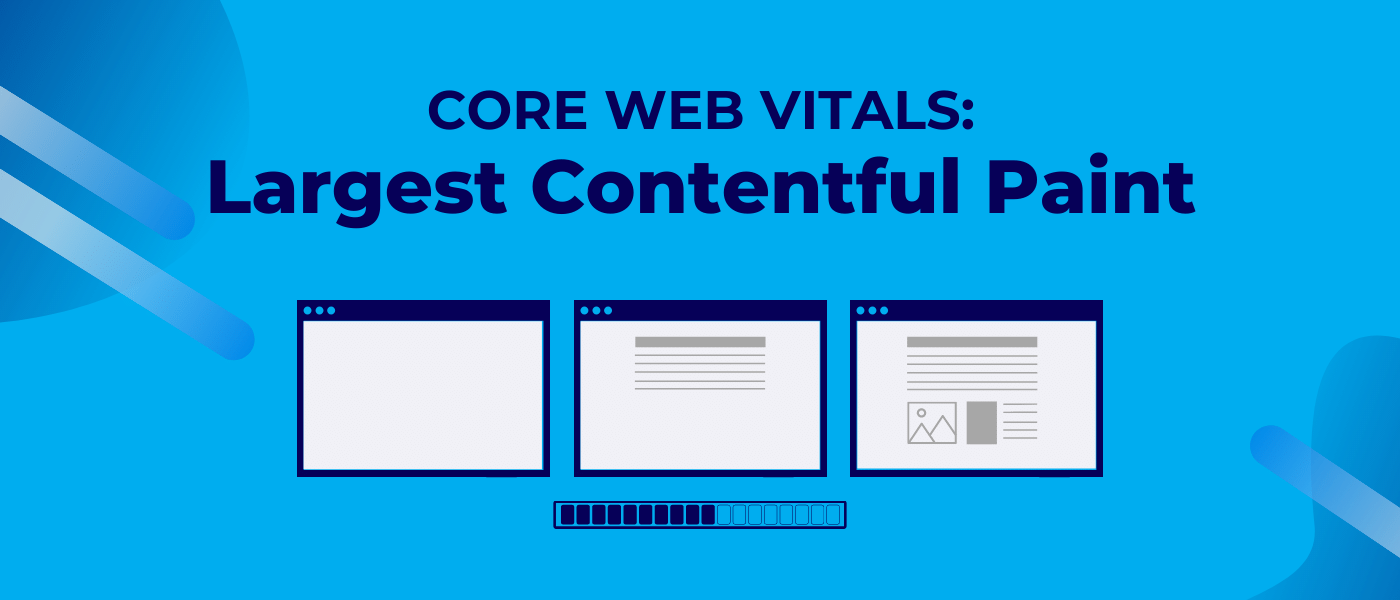
Back in May 2020, Google revealed their plans to introduce the “Core Web Vitals” as part of a new ranking factor: page experience. The intention behind this update was to coerce web developers into improving the user experience of their websites.
Numerous elements make up the Core Web Vitals. However, there are 3 main vitals that Google has highlighted:
This guide is going to take an in-depth look at the former, Largest Contentful Paint. We will explain what LCP is, how it can be measured and improved, its impact on search engine optimization, and much more.
Google, the search kings behind LCP, encapsulate the measurement with the following description:
“Largest Contentful Paint (LCP) is an important, user-centric metric for measuring perceived load speed because it marks the point in the page load timeline when the page’s main content has likely loaded.”
 As for what “main content” means, this is viewed as the largest media or block of context that’s situated within the user viewport. Aspects that’ll typically come into the equation include block-level text elements (think heading and paragraph tags), images, background images, and video poster images.
With the LCP, this only covers content that is present within the viewport. This means if any content exists beyond the screen, it isn’t counted as part of the metric.
As mentioned above, the Core Web Vitals have been introduced to improve user experience for those visiting websites. However, what difference does LCP make in that regard?
In essence, LCP is an aspect that assists with optimizing website speed. Now whether you’ve worked on SEO for 10 days or 10 years, you’ll understand that speed has been integral for success. Visitors don’t like slow websites, and (crucially for organic search) neither does Google.
In fact, they dislike it so much they introduced these Core Web Vitals to push site owners into further refining page load speed.
If the LCP isn’t performing to an acceptable level, this will negatively impact how long it takes for the webpage’s main content to load. This content is the reason why users are visiting in the first place. As a result, the longer this takes to display correctly, the more likely a visitor will depart for an alternative site – aka one of your competitors.
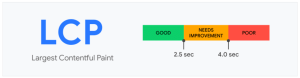
There’s no guesswork required when it comes to understanding what is and isn’t an acceptable LCP score. This is because Google provides clear guidelines about how they judge LCP speed. Here are the measurements used:
Achieving a “good” grade is, obviously, the main target. While “needs improvement” is certainly a step in the right direction compared to a “poor” score, optimization (and the best results from an SEO perspective) is only achieved by hitting the 2.5 seconds or less threshold.
The good news is that it’s relatively easy to measure your LCP performance. First you need to know the types of elements that fall under the LCP umbrella. These include:
It doesn’t take much effort to understand your webpage’s LCP performance. All that’s required is for you to look at the page, identify the largest block-level element, and see if any further work is necessary. For instance, you might decide to optimize an image by making the file size smaller. Alternatively, you could opt to remove an element entirely if it’s taking too long to download.
Also keep in mind that you don’t have to necessarily refine every single page on your website. As Google puts it: “…If at least 75 percent of page views to a site meet the “good” threshold, the site is classified as having “good” performance for that metric.” However, there is some trepidation with this stat. For example, if you have 74% “good” page views alongside 26% “poor” ones, your site will be classed as having “poor” LCP performance overall.
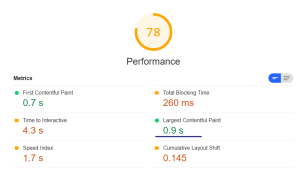
Note: due to Google’s policy with their mobile-first index, it makes sense to first measure and optimize performance via the mobile viewport. Once done, you can move onto the desktop side of things.
Are your webpages failing to land in Google’s “good” books for LCP? If so, you will want to change the situation – and fast.
Before you decide to implement changes, however, it’s important you first measure LCP performance accurately. Fortunately, whenever you want to check Core Web Vitals, there are numerous tools available. These include:
After using one of the aforementioned tools, you can compare your webpages against the recommended indicators. Are they hitting that all-important “good” grade? If the answer is “No”, it’s time to look at ways to improve LCP for your site.
Here are some top tips to follow:
When you want to fix Core Web Vitals (and not just LCP) you require a strong foundation for performance. One of the key starting points is selecting a high-quality web host provider that delivers fast speeds for your website.
First analyze how your current hosting plan is doing. If your pages are loading slowly due to the host’s server location not aligning with your primary audience’s location, it’s time to start searching for a new provider. However, even if your current host is performing well (just not great), you’ll still want to switch things up. Even a minimal boost in hosting speeds can make a massive difference overall.
As the name implies, a content delivery network (CDN) is used by website owners to speed up their content being transferred to users. Naturally, if this boosts the loading speed of your content, it in turn improves your LCP performance.
A CDN is particularly beneficial if your website caters to an international audience. Say your website is located on a server in the US, but there’s a chunk of visitors based in France. Rather than them having to deal with reduced load speeds due to location, the CDN will ensure they gain quick access to your site.
No, this doesn’t necessarily mean changing the dimensions of your images. What it does mean, however, is you should optimize the file size of your images. If your images are in a format like PNG and haven’t been altered since their original creation, they could be adding unnecessary weight to your webpages.
There are a number of ways you can refine your images without compromising their quality. Firstly, you can switch to a more suitable image format – either JPEG or WebP work – to lower the file size. Additionally, you can further minimize their size with the assistance of an image compressor. There are many free image optimization tools available to download or use online.
By minifying CCS files and superfluous JavascriptJavascript is one of the web’s key programming languages but coding it incorrectly can cost you in technical SEO terms. In order to avoid common mistakes, and understand how Java operates, here’s a quick guide to coding Java the right way. on your webpages, this will naturally help with your LCP improvement efforts. Think about it: if you compress files on your website which are unnecessary, this results in an improvement in page load speed.
Google even has this handy info about optimizing CSS:
“Remove any unused CSS entirely or move it to another stylesheet if used on a separate page of your site. For any CSS not needed for initial rendering, use loadCSS to load files asynchronously, which leverages rel=”preload” and onload.”
Now you might not feel like they’re a priority, but text files can add a surprising amount of weight to your webpages. However, it’s possible with resources like Gzip to compress your text files.
It typically won’t make as much difference as, for instance, compressing your images will. Yet when you’re attempting to squeeze everything out of your pages to achieve that “good” score for LCP, condensing your text files can ultimately make all the difference.
If you’ve done SEO auditing in the past, you’ll be well aware that Google prioritizes sites that are fast. While page speed already features as part of its ranking algorithm, they’re taking the next evolutionary step in this area with their Core Web Vitals. Now Google wants to ensure all elements of your site are performing fast, so you ultimately deliver a quality user experience.
Do you benefit from a fast site already? In this case, you might believe you’re in the clear with LCP. However, various recent studies have been conducted that demonstrate a lot of sites are missing the mark. For example, in August 2020 Screaming Frog noted that, out of the 20,000 well-ranking URLs they tested, 57% mobile and 56% desktop URLs didn’t achieve a “good” LCP score.
As for how LCP impacts your SEO ranking, the data is not yet clear. Ultimately, there are many ranking factors that come into play. Yet with the emphasis Google has placed on the Core Web Vitals as a whole, it seems likely LCP will play an important role in the future as page experience becomes a primary focus for the search engine giants.
LCP, as with page speed in general, is important and it needs to be a focus of your SEO efforts. Although with the technical nature of LCP, you may not feel comfortable trying to make any fixes to your website on your own. This is where you can receive professional assistance with our managed SEO.
Also make sure to keep a continual eye on our comprehensive Knowledge Hub. With this resource, you can learn all about Core Web Vitals 2022 updates and beyond.


Towards the end of September, on the 24th, Google released the second spam update in…

Google announced it was rolling out a further spam update on August 18, 2026. It…

There’s a good chance that you’ve already heard of PPC. As a marketing tool, PPC is invaluable, but there seems…

The essential eCommerce SEO Handbook, download your free copy today!

The search engine landscape is constantly changing; search in 2022 is no exception. New trends and algorithm updates occur all the time in the search engine world.
Towards the end of September, on the 24th, Google released the second spam update in…

The amount you invest in your link building budget should be based on the realistic…

Search engines aren't the only automated systems accessing, interpreting, and making sense of content found…

There's plenty of scope when creating SEO campaigns. Each industry that turns to experts for…

PR has long supported brands in building authority and spreading awareness, but PR distribution has…

SEO can be complicated. It’s constantly changing and is not a one-and-done job. That’s something…
Google announced it was rolling out a further spam update on August 18, 2026. It…

Growing an SEO agency takes a lot of hard work. You've got to keep up…
Fill out the contact form or give us a call for a free consultation to determine the right digital marketing solutions for the growth of your business.

The team will usually respond within 1 hour.