
How to Prepare Your Site for AI Agents
Search engines aren’t the only automated systems accessing, interpreting, and making sense of content found…


If you’ve ever tested your website using Google PageSpeedThe Google PageSpeed Insights Tool is a free and easy-to-use tool that provides webmasters with a score (from 0 to 100) that reflects the performance of their site on mobile devices. Insights, you’ve probably been met with a report full of colourful scores, technical jargon, and unfamiliar acronyms. While it’s easy to focus on the overall Performance score, that number is only part of the picture.
PageSpeed Insights is designed to analyse much more than just loading speed. It evaluates your website across several different areas, including performance, accessibility, technical best practices and SEO. All of these help you to understand how users experience your site and where you can make improvements.
Whether you’re looking to improve your Google rankings or simply speed up your website, understanding what each section of the report means is the first step.
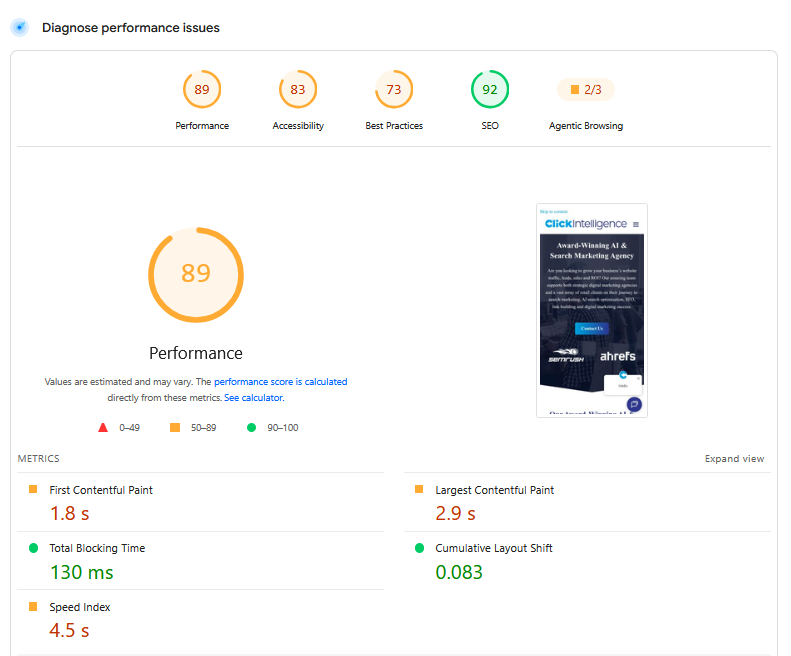
Google PageSpeed Insights is a free tool that analyses the performance of a webpage on both mobile and desktop devices. It combines real-world data from Chrome users with Google’s own performance testing to provide a detailed overview of how your website performs.
Rather than simply telling you whether your website is fast or slow, the report instead highlights potential issues affecting your site’s usability, responsiveness, and search performance. Many of these issues are uncovered during a technical SEO audit and can have a direct impact on both user experience and organic visibility. It also provides practical recommendations to improve your scores, making it a valuable tool for business owners, developers, and SEO professionals alike.
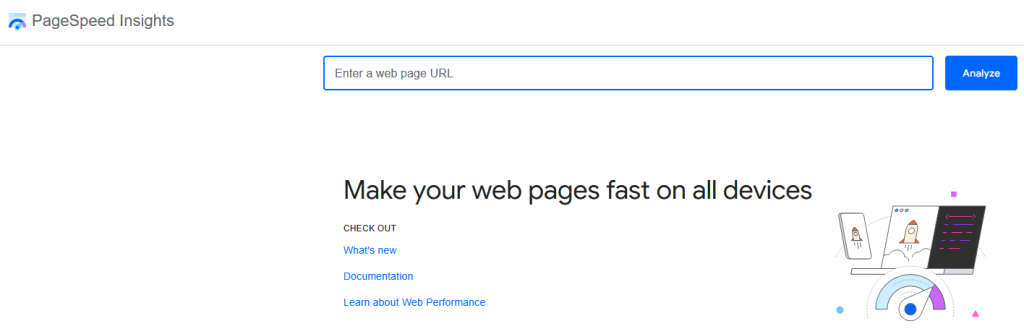
At the top of every report, you’ll see four overall scores: Performance, Accessibility, Best Practices and SEO. Each of these measures a different aspect of your website, so it’s important to look beyond the headline number when reviewing your results.
The Performance score measures how quickly your website loads and how responsive it feels for users. Rather than relying on a single metric, Google combines several measurements to produce an overall score.
The most important of these are the Core Web Vitals: Largest Contentful Paint (LCP)The largest contentful paint is a measure of the render time taken for the largest visible contentful area of a page to load., Interaction to Next Paint (INP), and Cumulative Layout Shift (CLS)Cumulative Layout Shift (CLS) is a Google Core Web Vitals performance issue that can be detected by Google PageSpeed Insights..
Largest Contentful Paint (LCP) measures how quickly the largest visible element on the page, such as a hero image or main heading, loads. Google recommends an LCP of 2.5 seconds or less to provide a good user experience.
Interaction to Next Paint (INP) replaced First Input Delay (FID)First Input Delay measures the time between the user's initial input and when they see the result of that action on screen. as a Core Web Vital in 2024. Rather than measuring only the first interaction, INP assesses how responsive your website feels throughout a visitor’s entire session. A good INP score is under 200 milliseconds.
Cumulative Layout Shift (CLS) measures the visual stability of your website. If images, adverts, or text unexpectedly move while a page is loading, users can easily become frustrated. Google recommends keeping your CLS score below 0.1.
Alongside the Core Web Vitals, PageSpeed Insights also measures metrics such as First Contentful Paint (FCP)Google's First Contentful Paint metric takes an average of the time until the browser displays something to the user., Speed Index and Time to First Byte (TTFB). While these aren’t Core Web Vitals themselves, they help to identify what’s causing performance issues and where to make improvements.
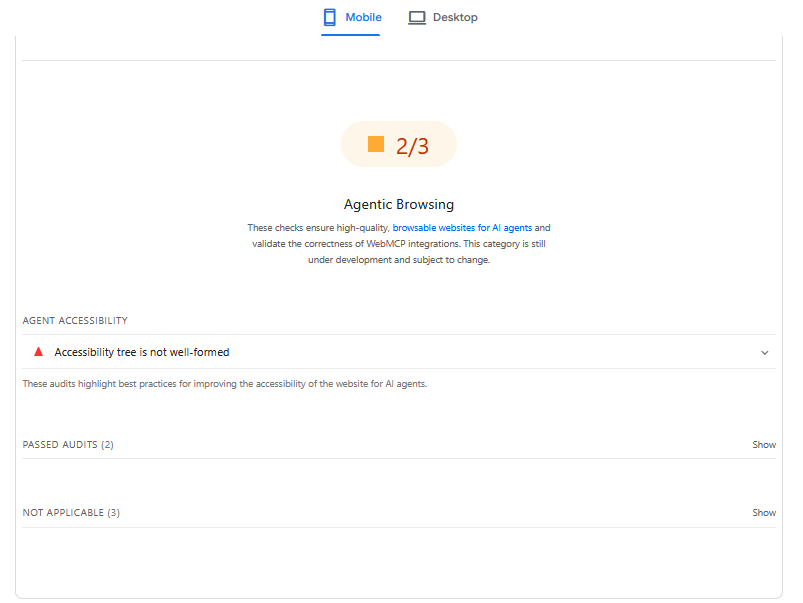
Accessibility measures how easy your website is to use for everyone, including visitors who rely on assistive technologies such as screen readers or keyboard navigation.
Google checks for common issues, including missing image alt text, poor colour contrast, incorrectly structured headings, and incorrectly structured form labels. Improving accessibility doesn’t just benefit users with disabilities, but it also often creates a better experience for every visitor while supporting SEO best practices.
The Best Practices score assesses whether your website adheres to modern web development standards. It looks for issues such as outdated JavaScriptJavascript is one of the web’s key programming languages but coding it incorrectly can cost you in technical SEO terms. In order to avoid common mistakes, and understand how Java operates, here’s a quick guide to coding Java the right way. libraries, insecure resources, browser compatibility problems, and other technical errors that could affect your site’s reliability or security.
Although these issues may not directly affect your rankings, addressing them can improve your website’s stability and help prevent future performance problems.
The SEO section provides a basic technical review of how well your page follows Google’s optimisation guidelines. It checks for elements such as page titles, meta descriptions, mobile usability, crawlability and other fundamental SEO considerations.
While it shouldn’t replace a comprehensive SEO audit, it does offer a useful overview of any obvious technical issues that could be limiting your website’s visibility in search results.
Simple improvements such as compressing images, enabling browser caching, removing unused CSS and JavaScript, upgrading your hosting, and using modern image formats like WebP can all have a noticeable impact on performance. Likewise, addressing accessibility issues, keeping software up to date, and following technical SEO best practices can improve the other sections of your report.
It’s also good to remember that website performance isn’t something you optimise once and forget. As your website grows and new content, plugins, or features are added, your PageSpeed Insights scores can change. Regular testing helps identify issues early and keeps your website performing at its best, which is exactly what you want.
At Click Intelligence, our technical SEO specialists conduct comprehensive website audits to identify performance bottlenecks, improve Core Web Vitals, and optimise websites for both users and search engines. Whether you’re looking to increase rankings, improve loading speeds, or enhance the overall user experience, our team can help you build a faster, healthier website that delivers long-term results!

Search engines aren’t the only automated systems accessing, interpreting, and making sense of content found…

PR has long supported brands in building authority and spreading awareness, but PR distribution has…

Find out the secret code of how to get a rich snippet in Google.

Has Google's Web Core Vitals update caused havoc to your SEO results? If so, find a solution with our in-depth guide!

Towards the end of September, on the 24th, Google released the second spam update in…

The amount you invest in your link building budget should be based on the realistic…
Search engines aren't the only automated systems accessing, interpreting, and making sense of content found…

There's plenty of scope when creating SEO campaigns. Each industry that turns to experts for…
PR has long supported brands in building authority and spreading awareness, but PR distribution has…

SEO can be complicated. It’s constantly changing and is not a one-and-done job. That’s something…

Google announced it was rolling out a further spam update on August 18, 2026. It…

Growing an SEO agency takes a lot of hard work. You've got to keep up…
Fill out the contact form or give us a call for a free consultation to determine the right digital marketing solutions for the growth of your business.

The team will usually respond within 1 hour.