
Google’s AI Overview: Everything You Need to Know in 2025
AI search is a hot topic, and it’s also confusing. There’s a lot of tools…


When considering Google Analytics data, the more segregated the reports, the better. To improve your marketing and work better on leads, you need to dissect segments easily to filter out the information you don’t need and concentrate solely on the information you do. Google Analytics custom segments feature means you can better separate chosen information into relevant categories. What customer segments in Google Analytics means for data analysis is that you can isolate certain traffic methods to conduct more in-depth analysis and reporting.
If your business has never used Google Analytics customer segmentation before, then now is the time to start to better your data reporting and learn more from your traffic.
There is an abundant amount of benefits for using the customer segments of Google Analytics. Google Analytics create custom segment options for businesses to identify their traffic better and gain access to key insights.
The reasons to take advantage of Google customer segments include:
So, how exactly should you go about using customer segmentation Google Analytics?
The following step-by-step guide will help you to understand better Google segments and how to implement them.
To do this, load up the default All Visits view under your overview panel, and click on the drop-down arrow. You will then have access to the Advanced Segments screen, which will lead you to learn how to create a custom segment in Google Analytics.
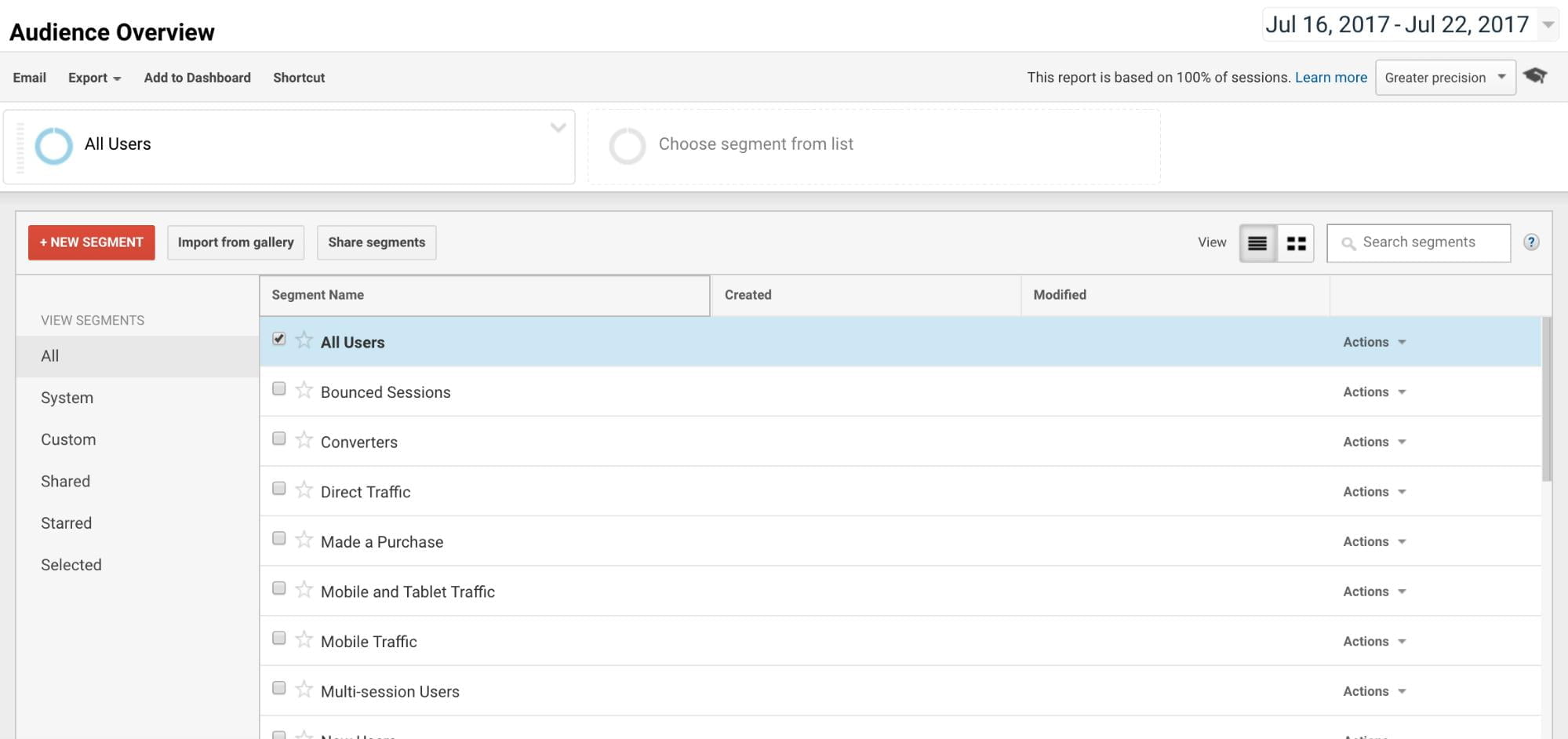
This new pane will display all relevant segments. These could be ready-made segments, or any customized segments you’ve personally created will show up on this screen. If you haven’t created any yet, they will display there in the future.
There is also a search option within this panel, which will make it easier for you to search for specific segments you may have created or favored.
You can view one segment at a time, or you can view up to four at a time if you would prefer to concentrate on a few at once. Make sure you have selected all the segments which you wish to view data for.
When all chosen segments have been selected, click Apply to view your data.
If you’re looking to analyze your data in even more detail, you may want to create a completely tailored segment. This could be a Google Ads custom segment for any paid advertising you have implemented, or perhaps just a general segment for traffic data which you wish to customize. Either way, Google Analytics segment custom dimension will help you.
To create a custom segment, you can select the New button back on the general overview screen. This will allow you to both name your new segment and select five applicable categories to apply, whether this be a general segment or Google ads custom conversionA conversion is a desirable result on a website that leads to an action such as completing an order, filling out a form, or simply clicking on a link. segment.
The five categories you will be able to choose from are listed as:
As you can see, using segments within Google Analytics can reveal a veritable supply of information relating to your audience and your target market. Learn more about the interactions with your content and analyze your data in a more improved way.

AI search is a hot topic, and it’s also confusing. There’s a lot of tools…

First, there was ChatGPT, where you could ask a question and get an answer. Next,…

The search engine landscape is constantly changing; search in 2022 is no exception. New trends and algorithm updates occur all the time in the search engine world.


Budgeting for SEO is a terrifying prospect. There are so many elements in play, and seemingly endless considerations, rendering it…

Towards the end of September, on the 24th, Google released the second spam update in…

The amount you invest in your link building budget should be based on the realistic…

Search engines aren't the only automated systems accessing, interpreting, and making sense of content found…

There's plenty of scope when creating SEO campaigns. Each industry that turns to experts for…

PR has long supported brands in building authority and spreading awareness, but PR distribution has…

SEO can be complicated. It’s constantly changing and is not a one-and-done job. That’s something…

Google announced it was rolling out a further spam update on August 18, 2026. It…

Growing an SEO agency takes a lot of hard work. You've got to keep up…
Fill out the contact form or give us a call for a free consultation to determine the right digital marketing solutions for the growth of your business.

The team will usually respond within 1 hour.